DIRECTION
A real effort. A virtual journey.
Your neighbourhood loop can take you somewhere new. Choose where your kilometres go, one outing at a time.
Choose your starting cityChoose a starting city and destination
Start near home or somewhere you have always wanted to explore. Pick a city from the catalogue, then choose your next destination in the expedition.
Your starting pointParisWhere next? You decide.Walk or run anywhere
A park, your commute, a trail or a treadmill. Your real route is up to you; your virtual destination can be on the other side of the world.
Enter your distance. See your progress.
Walk 5 km near home, then open Direction and add 5 km manually. You move 5 km along your virtual route. No GPS tracking or automatic activity sync.
Example: a 20 km stage +5 km5 km covered15 km to goCollect country badges
Your starting country and countries you reach on your expedition become part of your collection. France, the UK and Spain each have five places to collect. Reach all five in a country to turn its badge gold.
France  Digital preview
Five places. One gold country badge.
Add an optional virtual challenge
Browse a different starting line each month. Check the map, distance, entry cost and time allowance before explicitly joining in the app. New kilometres advance both your expedition and your active challenge, counted once in your activity total. Finish the challenge to earn its digital medal.
Browse virtual challenges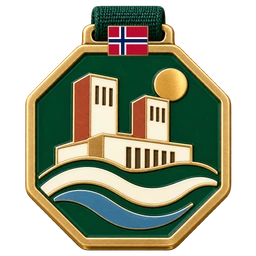
Digital reward preview. No physical medal. Keep your journey going
Arrive, choose another destination and head out again. Challenges are optional: your expedition continues with or without them.
Your next destination is waitingStart your expedition
Before you set off
How do I add kilometres?
Enter your walking or running distance manually in Direction. There is no automatic Strava, watch or health-app sync.
Do I need to travel to the destination?
No. Walk or run wherever you are. The expedition, country collection and challenges are virtual; they do not certify real-world visits or official race finishes.
Are the rewards physical?
Country badges and finisher medals are digital rewards displayed in Direction. Nothing is shipped to you.
Where is my expedition saved?
In this browser on this device, without an account or cloud sync. Clearing browser data or changing device can lose access to it. Export a backup from the app and keep it safe so you can restore it.
Does browsing a challenge start its timer?
No. Browse maps and medals freely. Set up or open your expedition, then explicitly join an available challenge in the app. Its entry cost and personal time limit apply only when joining is saved.